
SurveyMonkey Rewards
SurveyMonkeyLifestyle
4.26.20K Reviews
- Version
- 3.08.05
- Installs
- 100.00K
- Age Rating
- Everyone
Screenshots
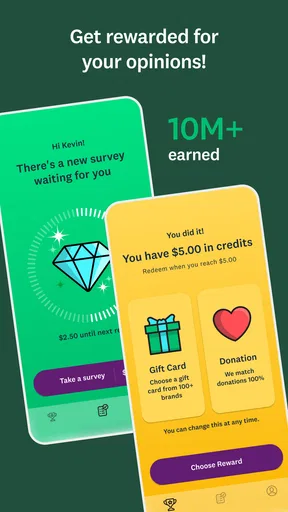
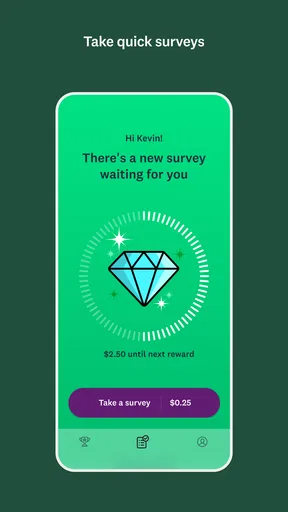
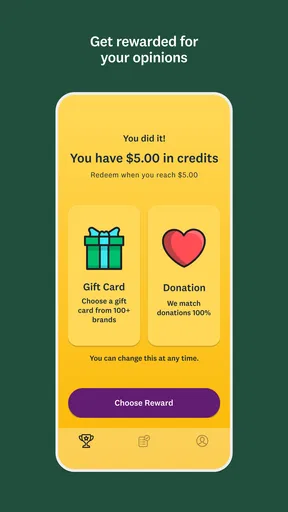
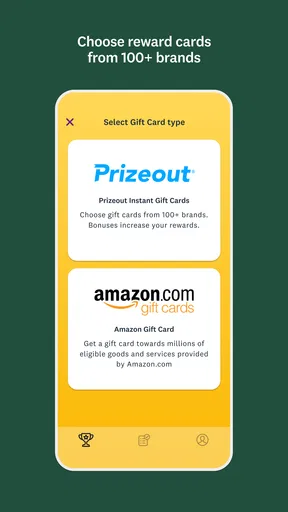
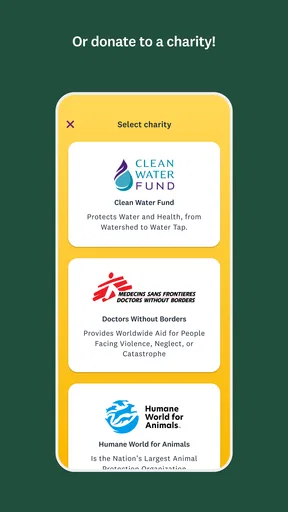
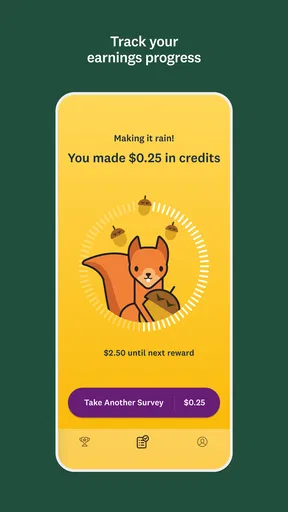
Our Review of SurveyMonkey Rewards
 Analysis by Appyee
I approached SurveyMonkey Rewards as a small, practical way to turn spare minutes into rewards rather than as a serious income source. That distinction matters. The app belongs to the lifestyle category, comes from SurveyMonkey, and keeps its central idea simple: answer available surveys and receive rewards. In my experience, the appeal is strongest when I treat it as something to check casually during an idle moment, not as a task that deserves a fixed daily schedule.
The app is free and rated for Everyone, which makes it easy to try without committing money. Its average rating sits at 4.2 from around 12 thousand ratings, and it has passed 100 thousand installs. Those figures suggest a reasonably established audience, although they should not be mistaken for a promise that every user will see the same survey availability or reward experience. Survey supply can naturally vary, and that is one of the first things I would keep in mind before installing it.
How SurveyMonkey Rewards fits into everyday use
The basic workflow is uncomplicated. I open the app, look for an available survey, read the invitation carefully, and decide whether the expected effort feels worthwhile. After completing a survey, I check the reward status rather than assuming that every questionnaire will feel equally useful. This simple habit prevents the app from taking over my attention and helps me judge it by the value of the time I actually spend.
A realistic use case is waiting for a bus, sitting in a reception area, or having a few quiet minutes before an appointment. In those situations, a short survey can make better use of time than repeatedly opening a social feed. The important word is “short.” I would not open the app expecting a guaranteed queue of questionnaires. Some visits may be productive, while others may offer little that fits the moment.
I also found it useful to separate browsing from committing. I first scan the available opportunity, note the estimated effort if the app shows it, and only then begin. That small pause matters because survey questions can become repetitive, and abandoning one midway through a busy moment is frustrating. A quick check before starting is a better routine than tapping every invitation automatically.
The app’s strongest quality is its low barrier to entry. There is no purchase to justify and no complicated system to learn before trying it. The trade-off is that the experience depends heavily on what surveys are available to a particular user at a particular time. Someone looking for a dependable stream of work may find that uncertainty more important than the convenience.
What I would check before answering
I recommend reading the opening details instead of treating every survey as interchangeable. Pay attention to the subject, the approximate length, and any eligibility questions. A survey that looks attractive at first can become a poor choice if it asks for more concentration than I have available. This is especially relevant on a phone, where long grids and repeated rating questions are less comfortable than they would be on a larger screen.
Another useful habit is to answer consistently and honestly. Survey platforms often use screening questions, so rushing through them or choosing random answers can lead to disappointment later. I would rather complete fewer questionnaires carefully than move quickly and create a confusing response pattern. This is not a shortcut to more rewards; it is simply the most sensible way to protect the quality of my participation.
For privacy-conscious users, the decision deserves a little thought. A survey app necessarily asks questions so that responses can be collected and categorized. I would read each prompt on its own terms and skip anything that makes me uncomfortable. The fact that the app is free does not mean my time and personal opinions have no value. I treat both as something to exchange deliberately.
Settings and phone habits worth checking
I would begin with the phone’s notification controls. If alerts are available on the device, I would decide whether SurveyMonkey Rewards deserves immediate attention or a quieter notification style. Constant interruptions can make a reward app feel more demanding than it really is. For me, the best arrangement is one that allows occasional discovery without turning every alert into an obligation.
I would also review the app’s permissions when installing or updating it and keep only the access I am comfortable granting. This is a general phone habit, but it is particularly useful with lifestyle apps that may be checked frequently. If the app works without a permission that I do not consider necessary, I prefer not to enable it. That keeps my setup intentional and makes it easier to understand what the application is doing on my device.
Because the current version is 3.08.05 and the minimum operating system is 10, I would check compatibility before planning to use it on an older phone. Someone with a device below that requirement should not assume that an installation will be possible. On a compatible phone, keeping the operating system and app current is still worthwhile for stability, especially if the application is used for account access or reward tracking.
Battery and data habits also make a difference, even though this is not an app I would expect to use continuously. I would avoid repeatedly refreshing the screen just to search for something new. That behavior rarely improves the quality of the available tasks and can turn a low-effort activity into needless battery use. A scheduled glance is more comfortable than compulsive checking.
Faster patterns that save time
Experienced use is less about tapping faster and more about creating a repeatable routine. I would check the app at natural transition points: after finishing a commute, during a planned break, or when I already have a few uninterrupted minutes. This keeps survey participation from interrupting more important work and makes it easier to remember whether I have already reviewed the available options.
I would keep a simple mental rule for stopping. If a questionnaire becomes too repetitive, unclear, or poorly matched to the time I have available, I would leave rather than forcing myself to finish. The reward is not useful if the process leaves me irritated or causes me to miss something else. This is one of the most practical trade-offs with any survey service: completion is not automatically worthwhile just because a task is available.
Another efficient pattern is to use a stable environment. A reliable connection, a charged phone, and a quiet place reduce the chance of losing concentration. I would avoid beginning a longer questionnaire while walking, boarding transport, or handling another task. A short survey may fit those moments, but anything demanding careful reading deserves proper attention.
I also recommend checking the reward area after completing a survey and before starting another one. That creates a clear record in my own routine and helps me notice whether the process is moving as expected. It is a small verification step, but it prevents the common mistake of assuming that finishing the final question is the same as confirming the reward.
The app is best compared with ordinary alternatives in the same lifestyle space, such as loyalty programs, cashback services, or casual task platforms. Those alternatives may suit someone who prefers shopping-based rewards or a wider range of activities. SurveyMonkey Rewards is more focused: its purpose is answering surveys. I like that focus because the interface does not need to teach me a large catalog of unrelated tasks, but I would choose another option if I wanted more ways to earn within one application.
Where the experience reaches its limits
The main limitation is not a confusing interface; it is the nature of survey availability. A person can install the app expecting regular opportunities and then discover that the practical value depends on timing, eligibility, and personal patience. I would therefore avoid describing it as a predictable side income tool. It is better understood as an occasional rewards app for people who are comfortable with an uneven rhythm.
There is also a concentration cost. Surveys can ask similar questions in slightly different forms, and that repetition may be tiring on a small screen. Users who dislike questionnaires will probably not become enthusiastic simply because rewards are attached. The reward element makes participation more appealing, but it does not change the underlying activity.
People who need immediate, guaranteed results should probably skip it. The same applies to anyone who wants a fixed earning target, a detailed work dashboard, or a broad marketplace of tasks. In those cases, a dedicated work platform or a cashback service may be a better match. I would also look elsewhere if my priority were entertainment, because SurveyMonkey Rewards is functional rather than playful.
On the other hand, it suits users who already enjoy giving opinions and want a lightweight reason to do so. It can also work for someone who prefers a free app with an Everyone age rating and a straightforward purpose. The key is expectation management: I would install it for occasional value, not build a budget around it.
Who should use it and who should pass
I think the best audience is patient smartphone users who have small pockets of unused time and do not mind answering structured questions. Students, commuters, and people waiting between appointments may appreciate the ability to turn otherwise empty minutes into something more purposeful. The app also makes sense for users who prefer a focused survey experience instead of a crowded rewards marketplace.
I would be more cautious about recommending it to a person who becomes frustrated by screening questions, repeated formats, or changing availability. It is also not ideal for someone with an older device that does not meet the operating-system requirement. Before downloading, that user should confirm that the phone is compatible rather than assuming that a free app will run everywhere.
The developer’s name, SurveyMonkey, may be familiar to people who have encountered online questionnaires before, but familiarity should not replace a personal assessment. I would still decide based on the actual time commitment, the questions presented, and how comfortable I feel with the information requested. A recognizable developer can make an app easier to approach, but it does not remove the need for sensible boundaries.
My practical verdict after building a routine
After using it as an occasional check-in rather than a constant activity, I see SurveyMonkey Rewards as a reasonable lifestyle app with a narrow but understandable purpose. It does not need elaborate tricks to be useful. The best results come from checking at sensible times, reading invitations before committing, keeping notifications under control, and stopping when the effort no longer feels worthwhile.
The smartest way to use it is to protect your time first and treat rewards as a bonus. That approach keeps the experience honest. I would not promise a friend a fixed return, but I would recommend trying it if they enjoy surveys and want a free option for spare moments. The app has over six thousand reviews and a current release identified as 3.08.05, which gives it a visible track record without changing the central trade-off: availability and patience matter more than speed.
For me, the final decision is straightforward. Choose it when you want a focused survey app, have realistic expectations, and are willing to check occasionally. Choose a different category when you need dependable income, richer task variety, or a reward system tied to everyday purchases. SurveyMonkey Rewards is not a replacement for those services, but within its limited role, it can be a pleasant way to make an otherwise idle few minutes feel slightly more useful.
Verdict
Strengths of SurveyMonkey Rewards
- Short surveys make it easy to earn rewards in spare moments.
- The app is simple to navigate, even for first-time users.
- Survey invitations are matched to your profile and interests.
- Rewards can be redeemed through several available options.
- Participation helps companies improve products and services.
Limitations of SurveyMonkey Rewards
- Survey availability can vary greatly by location and demographics.
- Some surveys screen you out after answering several questions.
- Reward values may feel low compared with the time required.
- You may need to provide personal details for profile matching.
- Notifications can become frequent when new surveys are available.
Similar Picks in This Category
View All
SmartThings
Samsung Electronics Co., Ltd.4.6

Google Home
Google LLC4.0

Pinterest4.2

Astrotalk - Talk to Astrologer
Astrology & Horoscope4.7

My Verizon
Verizon Consumer Group4.5

Samsung Wallet (Samsung Pay)
Samsung Electronics Co., Ltd.4.1
Frequently Asked Questions
What is SurveyMonkey Rewards, and how does it work?
SurveyMonkey Rewards is a mobile app that lets users earn rewards by completing surveys and sharing opinions. After creating an account, the app may invite you to participate in surveys that match your profile. Each completed survey provides a stated reward, although availability, length, and eligibility can vary depending on your location and demographic information.
How much money can I earn with SurveyMonkey Rewards?
Your earnings depend on the number of surveys available to you, the reward offered for each one, and whether you qualify after answering the screening questions. Some users may receive frequent invitations, while others may see fewer opportunities. It is best viewed as a small side-reward app rather than a reliable source of income or a replacement for paid work.
How are rewards paid, and is there a minimum withdrawal amount?
SurveyMonkey Rewards generally uses digital rewards or payment options presented inside the app, but the exact choices can depend on your country and current program terms. Before completing surveys, check the Rewards or Cash Out section for the available methods, minimum balance, processing time, and any restrictions. Payment conditions may change, so review them regularly.
Is SurveyMonkey Rewards safe to use and what information does it collect?
The app requires personal and demographic information so it can match you with relevant market-research surveys. You should read its privacy policy and permission requests before registering, especially regarding profile details, device information, and survey responses. Avoid providing highly sensitive information unless you understand why it is requested and how it will be handled.
Why do I sometimes get screened out of surveys on SurveyMonkey Rewards?
Being screened out is normal in market-research applications. Survey providers often need participants with specific ages, locations, occupations, purchasing habits, or other characteristics, and the initial questions determine whether you fit the target group. You may not receive a full reward when disqualified, so answer consistently and honestly rather than trying to give responses you think will qualify.
